Jewel Blast Kingdom: Ultimate Mobile Puzzle Breakdown
Jewel matching has been on phones for fifteen years and the format has barely changed, which is exactly why it is worth taking apart properly. This jewel blast kingdom mobile guide goes through the five things that actually decide whether one of these games is good on a phone: what the board tests, which booster pairs earn their move, how long a session runs, what the battery does, and what happens when the connection drops.
What a jewel board actually tests
Ask most people what match-three requires and they will say pattern recognition. That is only half of it, and it is the half that stops mattering after about forty stages. What separates a player who clears a hard board from one who does not is spatial bookkeeping: keeping track of where the board is thin, which column has not moved in three turns, and which corner will be unreachable once the last two blue gems in it are gone.
A jewel grid rewards this because gravity is one-directional. Gems fall from the top and never move sideways of their own accord, so the top of the board refreshes constantly while the bottom corners can sit untouched for an entire stage. A stage that asks you to clear a jelly tile in the bottom-left corner is not asking you to spot a match — it is asking you to route matches leftward and downward until something finally lands there.
Colour coordination is the second demand, and it works against the first. Six gem colours on a board give roughly a one-in-six chance that any falling gem is the one a corner needs. Five colours change that materially, and stages that quietly add a sixth colour halfway through a chapter are the usual reason a run of easy boards turns hard with no visible warning.
This site does not publish stage-by-stage solutions. Board seeds differ between app versions, and a written solution for a numbered stage goes stale within a couple of updates.
Booster combinations and what each one clears
Special gems are made by matching four or five instead of three, and combining two of them produces an effect neither has alone. The table lists the combinations worth planning for, what each removes, and where it earns the move it costs. A hammer or similar single-use tool is listed separately because it does not consume a turn.
| Combination | What it clears | Best used on | Turn cost |
|---|---|---|---|
| Line gem + bomb gem | Three rows and three columns at once | Wide blocker bands across the middle | 1 |
| Rainbow crystal + colour gem | Every gem of that colour on the board | Stages counting a single colour | 1 |
| Rainbow crystal + line gem | Turns every gem of that colour into a line clear | Blockers scattered across the whole grid | 1 |
| Two bomb gems | A single blast of roughly double radius | Dense clusters packed into one corner | 1 |
| Two line gems | One full row and one full column through the swap | A precise target with nothing to spare | 1 |
| Hammer tool | One obstacle tile, chosen by you | The last tile standing between you and the goal | 0 |
Effects described are the behaviour common to this board format. Individual games rename these pieces and occasionally alter a radius; the in-game help screen is the authority for any particular title.
Session length, battery and screen time
A jewel stage runs between ninety seconds and four minutes for most players, which is the format’s real design constraint. Everything follows from it: no long tutorial, no cut scene you cannot skip, no penalty for closing the app mid-board. If a game in this genre makes you sit through something before you can play, that is a design choice against the format, not a feature of it.
Battery behaviour is worth more attention than it usually gets. A well-built jewel game draws very little, because the board is static between moves and there is nothing to render while it waits. Games that heat a phone during a puzzle are almost always doing it for one of two reasons: an animated background running at full frame rate behind the grid, or an ad SDK holding a video pre-loaded in the background. On an older handset the second one is usually the culprit.
For a commute, the practical measure is stages per charge rather than minutes. A quiet build on a mid-range Android phone will run a long bus ride on a small fraction of the battery; a heavy one will visibly move the percentage in twenty minutes. Trying it once on your own device tells you more than any figure published anywhere, including here.
Offline play, and how the ads work
These two questions come up more than anything else, so they get direct answers.
Can the campaign be played without a connection?
Usually yes. The board is computed on the device, so the main stage progression in most jewel games continues offline once the app has been opened at least once. What stops working is everything social: leaderboards, friend lists, cloud saves, event boards and daily rewards that check a server clock. Progress made offline typically syncs the next time you connect. The important caveat is that offline support is a per-app decision and is stated on the store listing, which is where you should confirm it rather than taking it from a guide.
Are there full-screen ads in the middle of a stage?
In the better-behaved games in this genre, no. The prevailing model is the optional reward video: you finish a board, you fail by one move, and the game offers extra moves in exchange for watching a clip. Declining costs you the extra moves and nothing else. That is a different thing from an interstitial that fires between stages whether you asked for it or not.
How do you tell which model an app uses before installing?
The store listing declares whether an app contains ads and whether it offers in-app purchases, and those two labels are reliable because the developer has to declare them. What the labels do not tell you is how intrusive the ads are. Recent reviews do, and reviews filtered to the last month are far more useful than the overall score, which averages years of different versions together.
Six things to check before installing
Each of these takes a few seconds and is verifiable, which is the point. The right-hand label says where to look.
-
Ads and in-app purchase labelsStore listing
Both are declared by the developer and shown under the install button. Their absence is meaningful; their presence tells you the model, not the intensity.
-
Date of the last updateStore listing
A puzzle game that has not been touched in two years will still run, but bugs on newer Android versions will not be fixed.
-
Download size against your free spaceStore listing
Jewel games are small, and one that is unusually large for the genre is carrying something other than the board.
-
Reviews from the last month onlyStore reviews
Sort by recency. The overall rating averages every version ever shipped and hides a recent change in the ad load.
-
Whether flight mode still lets you playOn your phone
The honest offline test: turn the connection off, open the app, start a stage. Thirty seconds, and it settles the question for your device.
-
Battery use after twenty minutesAndroid settings
Android reports per-app battery use in settings. Compare it against something you already trust to know whether the number is normal.
The notes, on paper
This page is free and stays free. It is also, unavoidably, a web page — which means it is behind whatever you are actually playing. The printed set solves that and nothing else.
Jewel Board Field Notes
Twenty-four pages, laid out for reading with a phone in the other hand. It goes considerably further than the table above, because a page has room for six pairings and a booklet has room for the rest.
- The full booster matrix: every pairing the format produces, what each removes, and the board shape that makes it worth a turn.
- A blocker index — ice, crates, links, spreading tiles — each with the cheapest way through it and the mistake that usually costs the stage.
- A page on corners: why the bottom two never refill on their own and the three routes that reach them.
- A battery and session log, printed, for working out what a given game actually costs your phone over a fortnight.
- The pre-install checklist as a single page you can hold up next to a store listing.
Order it by email Terms of the order
Sold by one person, not by a shop. This domain has no checkout, no payment page and collects no card details anywhere: you write, Robert Smith replies with transfer details, and the file follows once the transfer clears. No sales tax is added and no invoice from a registered business is issued. If it fails to arrive, or arrives and will not open, say so and the payment comes back in full.
One listing worth opening on Google Play
Everything in the checklist above is read off a store page, so here is one, with the labels exactly as the store shows them. Nothing is downloaded or installed from this site; the link opens Google Play and the rest is between you, Google and the developer.
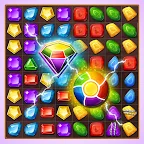
Gems or jewels ?, by Tala Games
Open the listing on Google Play
Price, taxes and any fees are shown on Google Play at the next step. Listings change without notice; the date above says when this one was last read from here, and nothing more.
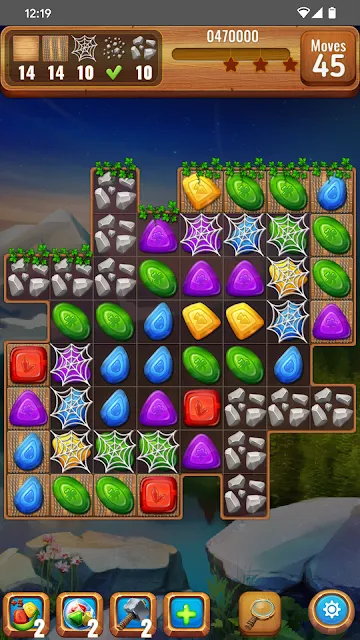
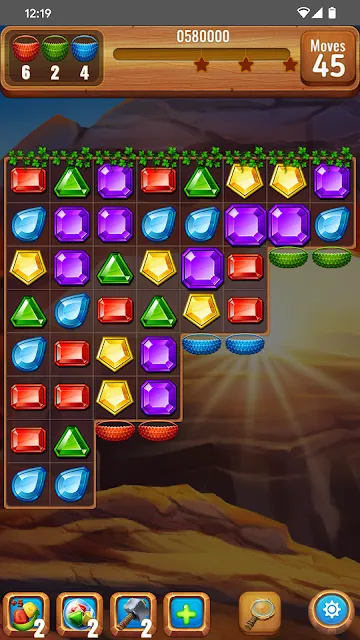
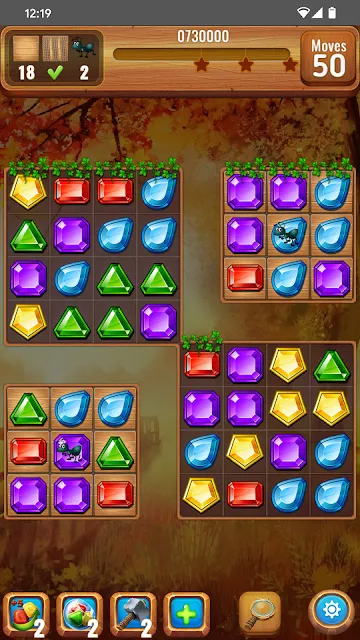
Write to us
[email protected]Email is the only channel on this site. No forms, no newsletter, no data collection — write in and the reply goes back to the address you used.